What I watched:
How to write the interactive story
https://www.youtube.com/watch?v=PTIgyF-EU5E
Attracted by the video’s thumbnail, I clicked on it. I still wouldn’t count it as clickbait, though. It came as a surprise when I saw the person had made a flowchart format interactive story using GOOGLE DOCS. As impressed as I was, it was an instant no for me due to my fear of text document tools like MS Word or Google Docs. However, I do think it might work for a lot of people because of how simple Google Docs can be, with nothing necessarily extra you’d have to learn. But, in conclusion, this approach looked rather complicated, less intuitive, and would be a little intimidating for a layperson.
Interactive Storytelling – Intro to Twine
https://www.youtube.com/watch?v=ZnARX2ToqYc
This was so far my favorite resource I stumbled upon while researching interactive story script writing processes. This person created an interactive story game called “57 North,” and they did that using this neat little tool called “Twine”. They used their own game as an example to show how Twine works, how things are laid out in there, and how everything generally works. This video was what led me to research and find out more about Twine and move ahead in my process (for now).
Twine 2.0 – Introduction / Tutorial #1
https://www.youtube.com/watch?v=iKFZhIHD7Xk&list=PLklITFhXtPCCKadv-0Gcbqoj3OCev695D
After finding Twine, I started searching for Twine tutorials specifically. This is a playlist that covers all the basics for a beginner in Twine. It is slow-paced (you can always speed it up on YouTube *wink wink*), intuitive, and covers everything that someone as beginner-level as me would need to get things started.
All things considered, I would say this week was more about creating, since I found the right tool for the time being early on.
What I worked on:
Script:
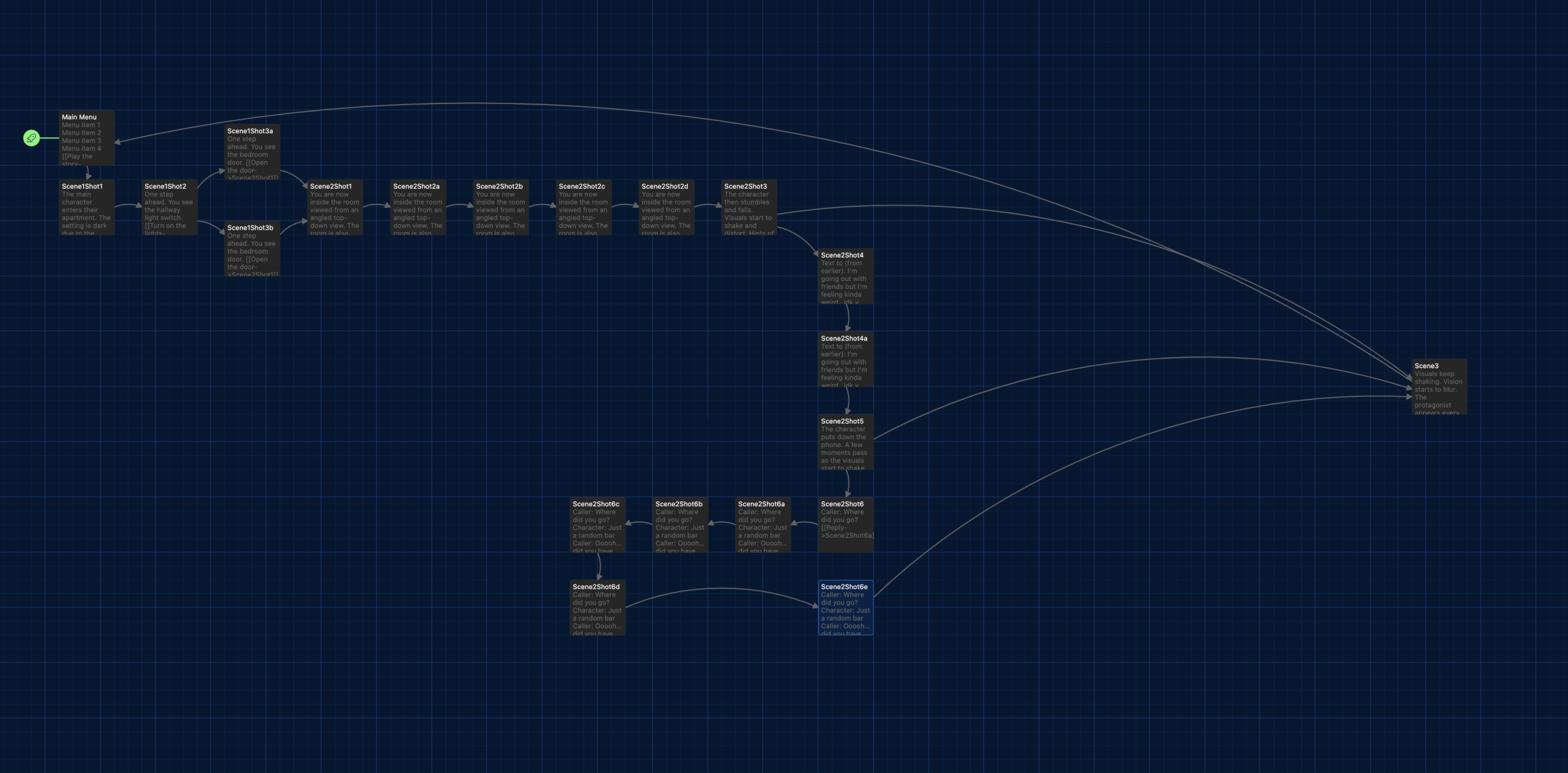
The first thing I did was to draft my handwritten script into a Word document to get it off paper and onto a digital medium so I could think of the next steps. After typing out the draft, I wanted a system to represent the choices and the branches that stem from those choices. I went with the “highlighter” tool and chose different colors for different choices and consequent branches. While this worked for this instant, it WILL NOT work in the future when the narrative gets increasingly complex, and it is certainly not the right way to proceed with an interactive story to take it to the next steps.
So, I watched the basics of the Twine tutorials and started messing with it. Eventually, I was able to compile my first working draft of a draft on Twine just to see if I could make it work enough that it could be polished further, or if I needed to scratch that and try something completely different. Verdict: IT WORKS (for now | knock on wood).
Now that I have it laid out in its very first form, I need to think of more creative ways for users to play through the choices I have in there. The goal is to make the story engaging and give the users an enhanced experience.
FUN FACT: Twine scripts can actually be plugged into some game engines as a script for an Interactive Story Game!!!
Character Design – Antagonist:
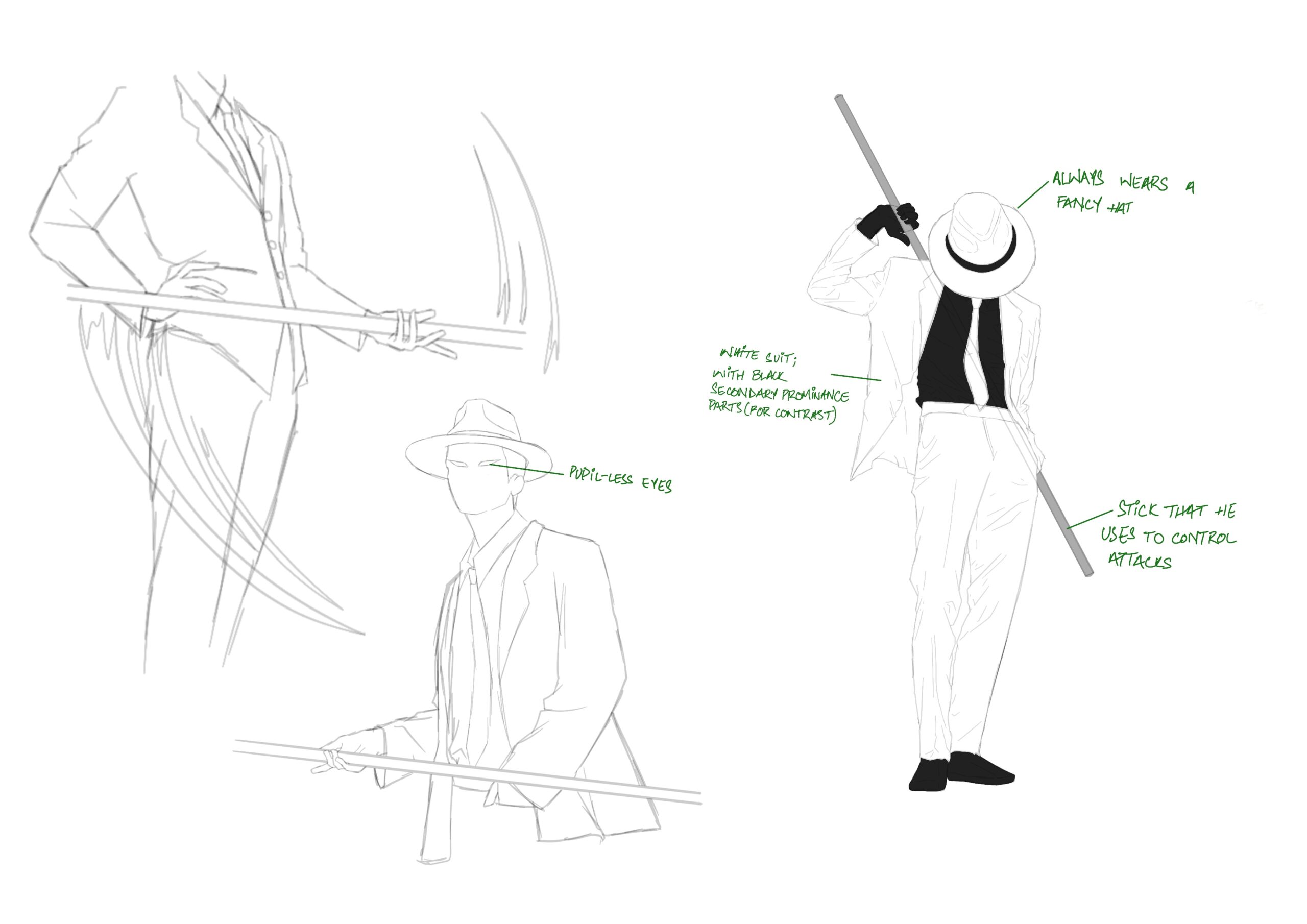
While the script was going on, I also worked on a draft for my first character design. This character is a personification of mental health struggles: anxiety, depression, dissociation, trauma, etc. I based it on this other character I made for an experimental project, where that character was also following the same characteristics, but I changed it to fit this role a little better.
So far, I think the character is still in the brainstorming phase. Before I start polishing it further, I want to explore this character a little more and see how much I can push it, and figure out its extremes. By extremes, I mean, how drastic an effect can I make him have on the narrative and the visuals in whatever scene he gets placed into, how expressive I can make him visually, and what visual cues he comes with when introduced in a scene. Things like these are what will decide the crucial characteristics for this character.
Artwork – Protective Dissociation:
I worked on an illustration regarding “Protective Dissociation”. Technically not termed as “Protective Dissociation”, but I call it that for the context in which I am using is for the illustration. There is the main character on their phone with someone talking about how they don’t feel the constant pain that they used to feel in their chest, but they know that the pain is there whenever something even slightly brushes up against their chest. There is another character right next to them that is addressing that as “Protective Dissociation”. That character is their traumatized mind trying to protect them from the pain, and getting them to enjoy life, knowing they don’t have the quality of life that they would ideally desire.
1Emily Swaim writes: “Dissociation happens when your mind “cuts off” a part of itself — a thought, a feeling, a memory — to protect the greater whole.” This is what dissociation means. The way it is represented in the illustration is through the context of not feeling the pain that one used to feel all the time.
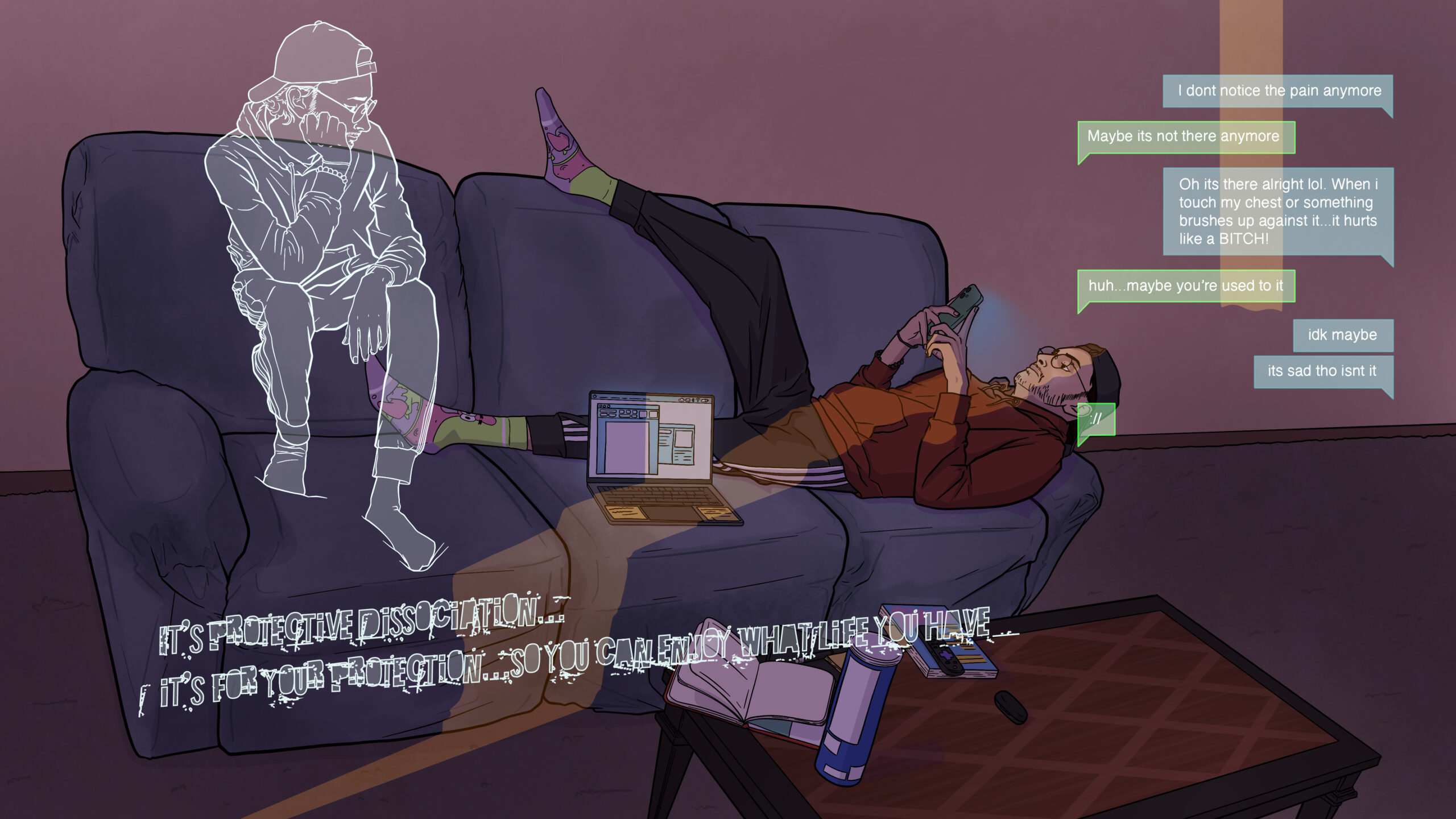
To break this artwork down in a visual analysis, I used a dark, gloomy evening setting to set the mood as relaxed, but with a hint of sadness that comes with darkness and gloominess. The ray of light coming from the outside serves as a symbol of hope and is directly shedding light on the main character as an added focal point. The layout of text messages in the top right is an experimental decision. My first thought was to illustrate a phone in the character’s hand with the screen showing the texts, but I think that approach is overdone, even by me. So I decided to go slightly abstract with it and have the texts appear as themselves without the confines of a phone, since the shape and format imply that they are text messages. The only thing in question with this approach is that someone pointed out that they thought this text conversation was with the character’s own self or with their subconscious. I think that might have been due to the presence of the dissociation character, since that character is also treated in the same visual style of transparency. So I might need to tackle that, but I a looking forward to sharing this with more people and getting more feedback on this.
Coming up next:
- Another artwork: (content within decision-making processes); I’m thinking, should I make one from the script, or something to test out a new style?
- Flushing out the Antagonist character more, see where it goes. I think I might get more feedback from people.
- Sharing my progress with my third committee member and getting their insights and opinions on what I have so far.
- Scheduling a meeting with all my committee members to finally get them all together in a room and see how a collaborative discussion on my work so far and plans for the near future takes shape.
Bibliography:
1: https://www.healthline.com/health/mental-health/dissociative-defense-mechanism